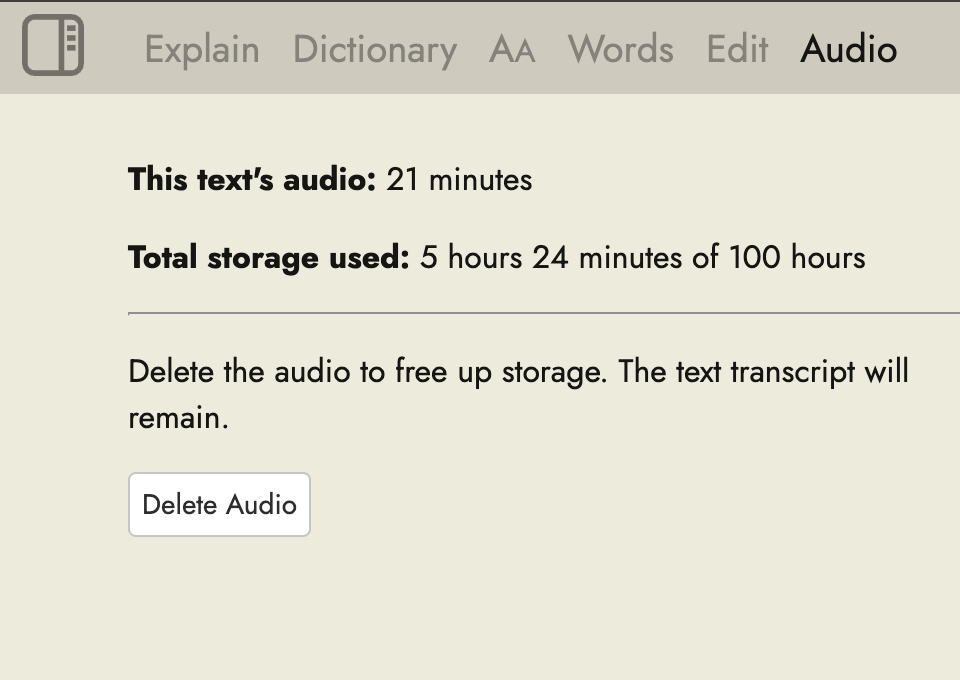
You get five hours of uploads, but not five hours of storage, and those are two different things. I wish they would update their wording to reflect this information.
You can upload more than 5 hours if you delete old audio files. So 5 hours of storage is accurate. What is probably confusing is that you need to permanently delete the audio files in order to free up storage space. Please see here for how to do that: How do you delete audio files? - #2 by Steve.
1 Like
What is the difference between five hours of uploads and five hours of storage?
If you have 5 hours stored and want to add another hour you can upgrade or remove one of the stored hours to upload the new stored hour.
My bad. I had deleted the text but it was more of a trash can delete, the file was not truely delete.
Sorry to revive an old thread, but if I delete the audio file, does that also delete the transcript? Is there a way to keep the transcript even if I delete the audio file eventually to make room? Thanks. I’m loving this feature btw, it really helps to get more out of podcasts.
1 Like
I think I asked about/for this a few months ago. There doesn’t seem to be a built-in way do it, however. So what I do is copy the text from the Edit box in the sidebar and copy it into a new document with the same name. Then I delete the original, select Deleted items, and delete again, to get rid of the audio alltogether. Sounds fiddly, but it really only takes seconds.
2 Likes