I’m not sure if this has already been mentioned, but I noticed that when I select a word, the main text line moves down, and when I deselect it, the line moves back up. I tend to select and deselect words frequently to test myself or include additional words, so the constant movement is a bit distracting and makes it easy to lose my place. It would be great if the line could stay in the same position while selecting words for translation.
Please give the Popover translation style a try: Popup word definition that doesn't shift layout - #2 by Steve
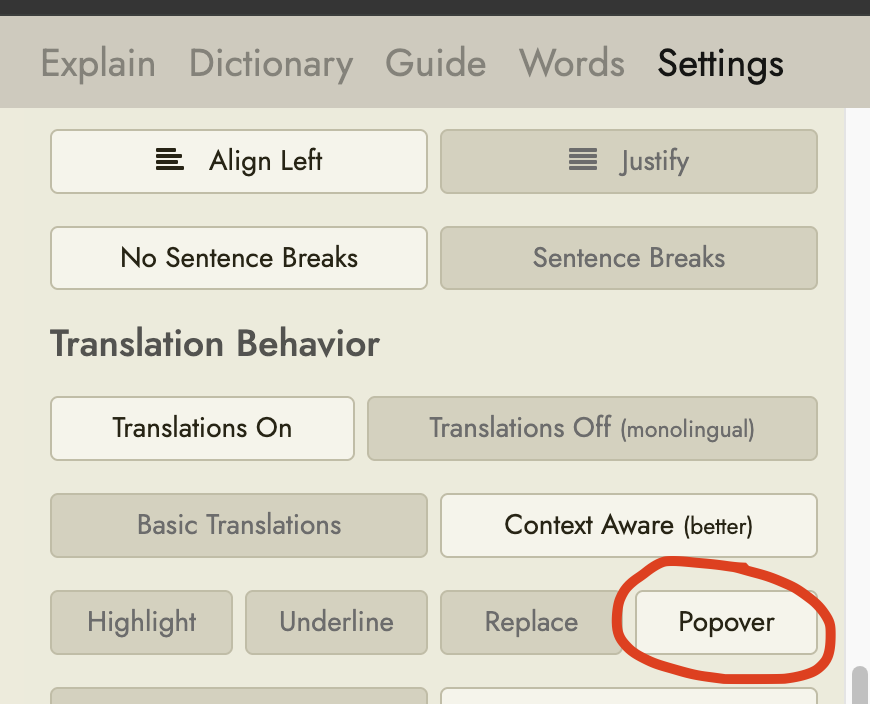
To find this setting:
- Open a text to read
- If the sidebar isn’t visible, click the button at the top right of the page to open it
- Click to open the Settings tab within the sidebar
- Select this option under Translation Behavior:
3 Likes