I’m studying European Portuguese and in the settings tab of the reader I’ve chosen one of the EP voices available in the Edge Browser. That works great when actually playing the audio for a text. But when I select a word to see the translation, the voice that reads it is a different one, in Brazilian Portuguese. How can I fix this?
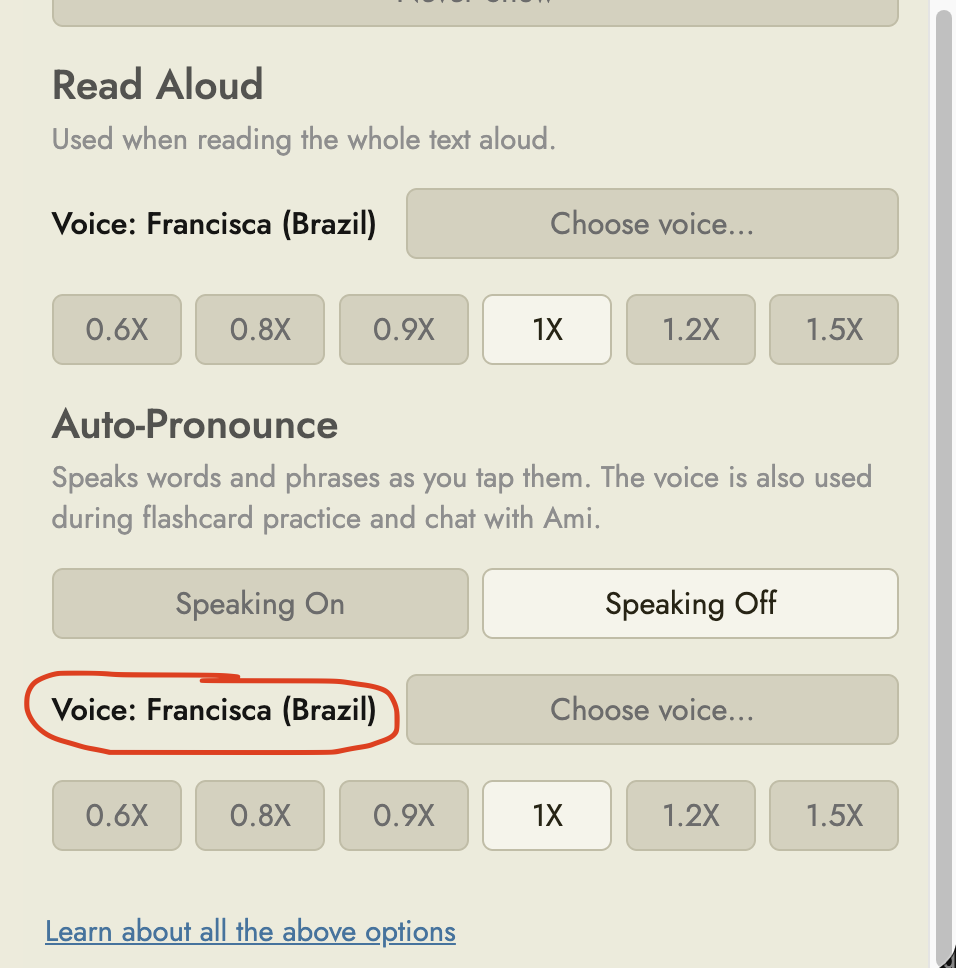
You can now pick a Brazilian Portuguese voice from the reader page Settings tab for both Read Aloud (speaking the whole text) and for Auto-Pronounce (speaking just the words you click on):
Read more here: Better voices in Readlang - Readlang Blog