When I activate Readlang on some websites in Chrome, Readlang changes the spacing between words, adding large amounts of unwanted space.
The following page is an example:
I am pasting an image demonstrating the issue below. Interestingly, the first paragraph of each section retains normal spacing. I would like for Readlang to not alter the spacing between words at all. This makes it very uncomfortable to read and slows my reading substantially.
After activating Readlang:
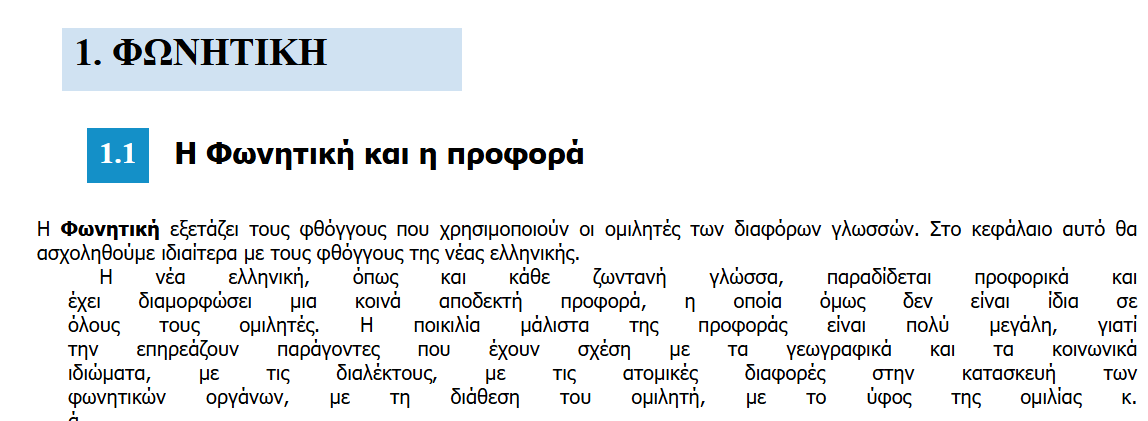
I am using Readlang Version 0.9.12 and Chrome Version 141.0.7390.123 (Official Build) (64-bit), which are both the newest available I believe.