Hi.
I was wondering if there was any way to turn off the Pinyin for words when reviewing Chinese flashcards. I’d rather have them not shown so I can recall the reading myself.
Thanks in advance for any answer 
Hi.
I was wondering if there was any way to turn off the Pinyin for words when reviewing Chinese flashcards. I’d rather have them not shown so I can recall the reading myself.
Thanks in advance for any answer
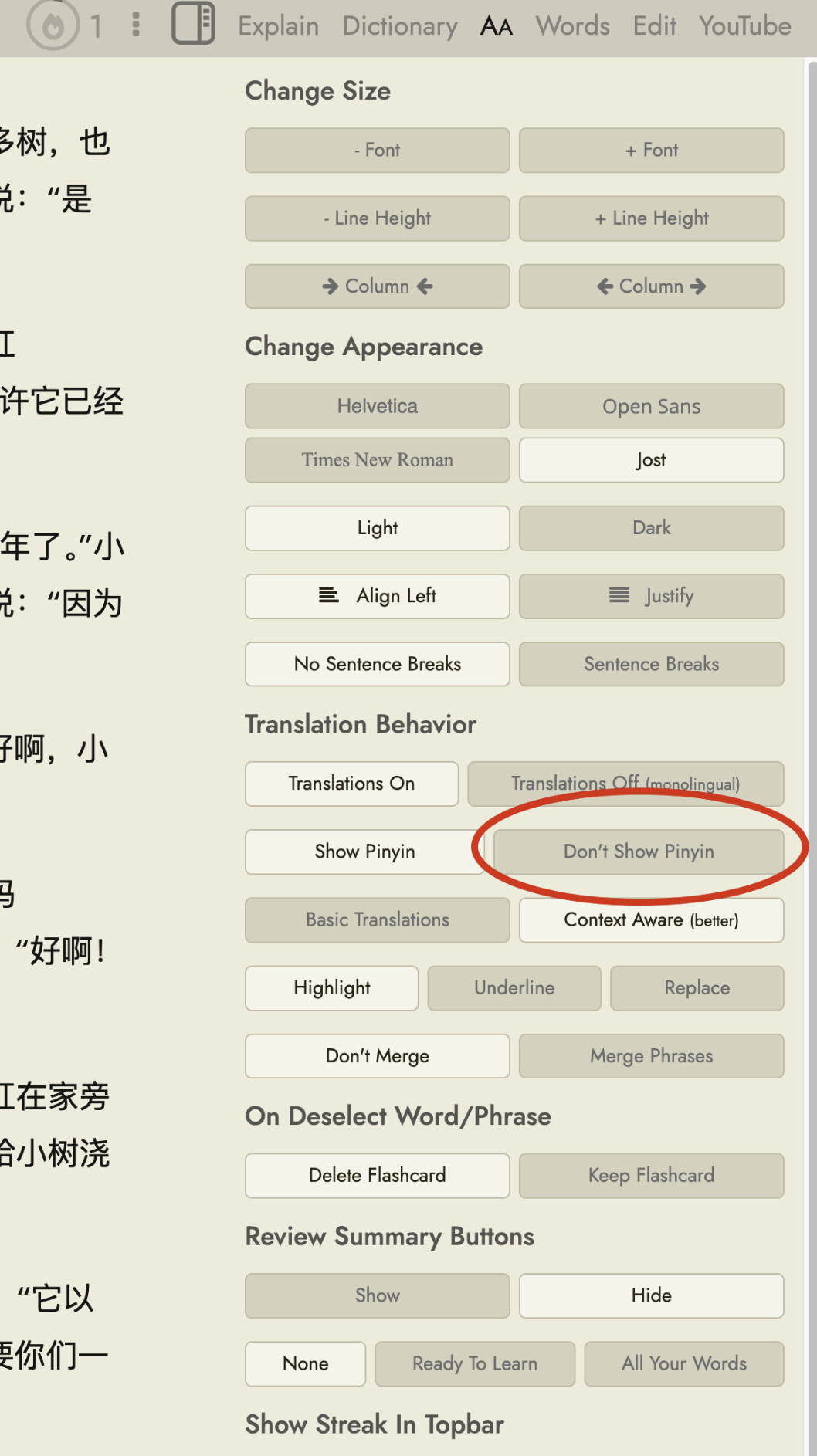
You can enable and disable Pinyin from the “AA” tab of the reader page, here:
This setting will also apply to the different practice modes. There was a bug where it wasn’t being applied to the Classic Flashcards mode, the Pinyin was just showing all the time regardless, but I’ve just fixed that so if you refresh any Readlang browser tab you might have open and try again, it should now work.
While this helps, I think it might be better to separate out the two cases: pinyin when clicking on a word in the reader vs. pinyin when trying to recall a word in flashcards. I think it’s helpful to have the pinyin when learning a new word in the reader, to make sure I know exactly what’s being said, but like the original poster, I don’t want it in the flashcard when I’m trying to remember the characters. But after having posted my flashcard answer, I think it would be helpful to reveal the pinyin, to help me double check that I had the right tones (and sometimes differences between related sounds). So for me at least, it’d be great if there were options for pinyin/no for reader, and pinyin at start/after answer for flashcards.
Thanks for the suggestion @Chris_Bailey-Kellogg. I agree that seeing the Pinyin before answering makes it too easy to answer from the sound rather than recognising the characters.
I’ve changed this so that in all the practice modes, Pinyin is now hidden until you’ve answered the card, and then shown so you can check the tones:
The Pinyin setting in the reader’s “AA” tab still applies to both reading and practice. With it on, you’ll see Pinyin while reading and after answering in practice. With it off, you won’t see it anywhere.
Please refresh any open Readlang tabs to get the update, and let me know if you have any problems.
Just tried it out, and it’s great now, thanks so much Steve!