I’m currently reading a novel which contains a lot of longer sentences. When I save words from these sentences the sentence is sometimes included completely in the context and sometimes it is cut off. This is especially noticeable when I save multiple words from the same sentence.
I’m not quite sure if this is a bug or intentional. It seems that words in the middle of the sentence tend to get the whole sentence as context and words at the beginning or end are more often cut off.
I’m manually fixing these contexts by either copying the complete sentence or cutting it off at a not so random point so that it makes more sense to me.
The problem I see with that is that I am constantly worrying about the context being “right” and that I have to retrigger the explanation again, which seems wasteful. This wouldn’t be necessary if the context always was the whole sentence.
I did! I forgot to reply here, but I’ve extended the amount of context by quite a lot. Before it would be limited to 80 words before and 80 words after the word you clicked. Now it will look accept a context sentence up to 300 words total, and even if you click the very first or last word in the sentence, it will still include the whole context sentence as long as it’s within 300 words.
The problem for me now is that in a lot of auto-generated youtube transcripts that I’ve been watching/reading, there are relatively few sentence breaks. So now I’m getting massive run-ons as “context” before the actual word / phrase. And then for some reason often nothing after the word. I can edit away the “bonus” context before the word (just requires more work for each word now), but the missing stuff after the word takes too much effort to be worth it.
Doesn’t the YouTube transcript have line breaks even if it misses punctuation? Or are line breaks handled differently now?
(I’m asking because the first text I read contained a lot of poetry with many line breaks which lead to very short contexts, which was not ideal, but I figured that it makes more sense for texts like transcripts or lyrics, which might have no punctuation at all)
The problem of capturing lots of context before a word and none after should now be fixed so please refresh your Readlang tab and give it another try. It will now try to capture equal amounts of context before and after in the case of very large blocks of text without sentence breaks.
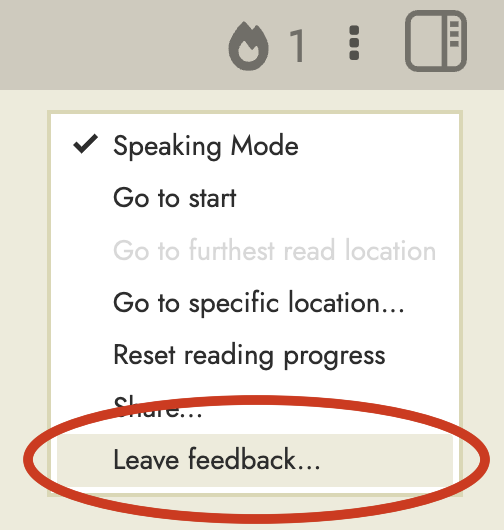
There will still be an issue where there is too much context if the text is lacking sentence breaks and newlines though. Perhaps the upper limit of 300 words should be reduced a little? If possible it would be good to add the missing punctuation and/or newlines on texts that you uploaded yourself. On public texts which you don’t own, you can use this feedback option which was added about 6 weeks ago, and point out that it lacks full stops and/or new lines:
I just checked my word list and the longest context I found was 91 words, so way below 300. I really hope my text won’t contain any sentences above 100 words
I’m confused though because I found one older sentence which is only 43 words long, but which was cut off when I saved the first word. So it was cut off although it even fit the +/- 80 words rule from before
Thanks for the quick fix! Yes, it’s getting the post-word context now. And yeah, it’s much too long, but I recognize that it’s impossible to find the right cut-off for all cases. This youtube is a couple of people just chatting away – talking over each other often, with partial sentences and phrases for each – and the auto-generated transcript can’t entangle it all and basically fails to put in any breaks. So I can just clean up the contexts that readlang extracts around the words I want to study, to focus in on just the bit of phrase I want. Thanks!
At least in the problem case I ran into today, there weren’t any line breaks – just a whole long run-on. I don’t know how common it is. (But it’s definitely more common with this particular podcast, due to their style, and it got exacerbated with the recent change.)

 That helps me a lot to stay focused on the reading instead of the word list