I am using Readlang for Spanish. I noticed a bug that manifest in two different ways:
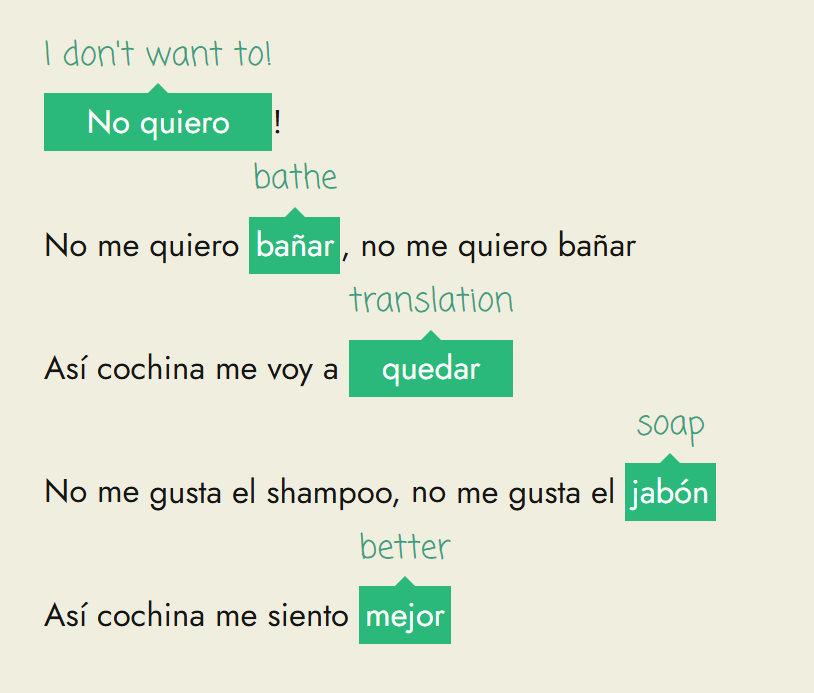
Library: When I am translating a word in a reading in the library, sometimes it does not translate the word properly. The word “translation” appears instead of the meaning of the word.
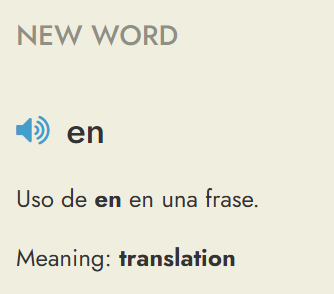
Practice: When using the Blitz version, all words show the word “translation” instead of the meaning of the word.
I also use these functions for German and I have not noticed this issue with the German Library or Practice function.
I can verify that you have a bunch of Spanish words with “translation” as the translation. They all seem to have been created at the same time on 6th December 2025. Is it possible that you created them using the word import feature?
Hi Steve, thanks for looking into this matter. I created the words while reading a story from the Spanish library, by clicking on the words. Yesterday I read another story and the same happened only in some cases, when clicking on some of the individual words. When clicking on the same word togeher with another, i.e. a word pair, the problem did not show up. I hope this explanation helps, but let me know if you need more information. Thank you again
Hi Aliz. Thanks for pointing this out. It helped me locate a bug in Readlang which for some users was causing it to return translations from their existing word list instead of generating a context-aware translations. I’ve now fixed it that so this shouldn’t happen for new words you translate. Sorry about that!
Note that “translation” was appearing because you have a lot of common words in your word list with “translation” as the translation. These appear to all have been imported at the same time on 6th December 2025 and have the appearance of being automatically generated. For example:
word: una
context: Uso de una en una frase.
translation: translation
word: es
context: Uso de es en una frase.
translation: translation
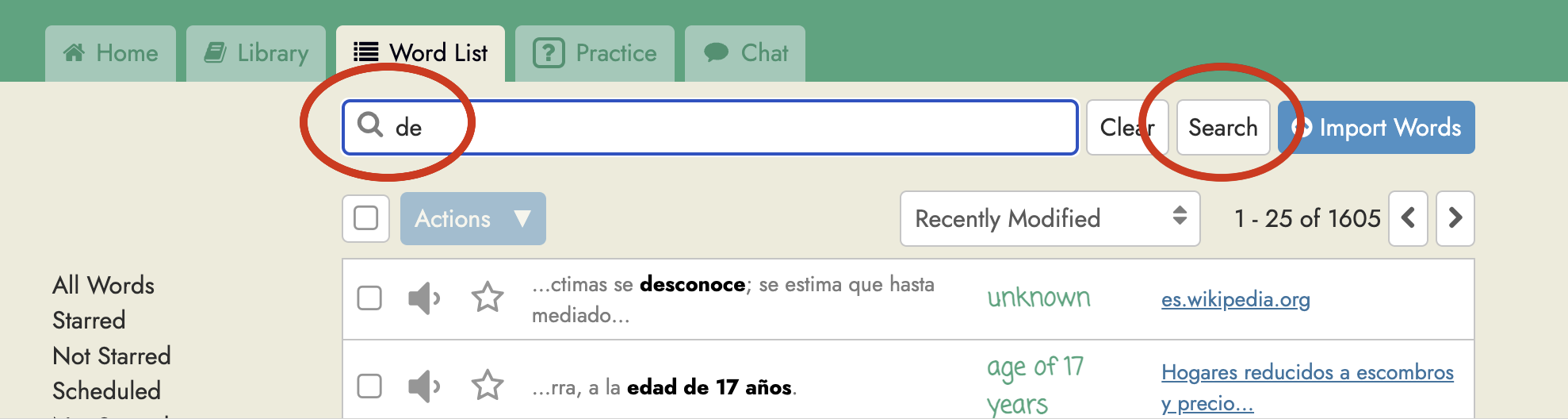
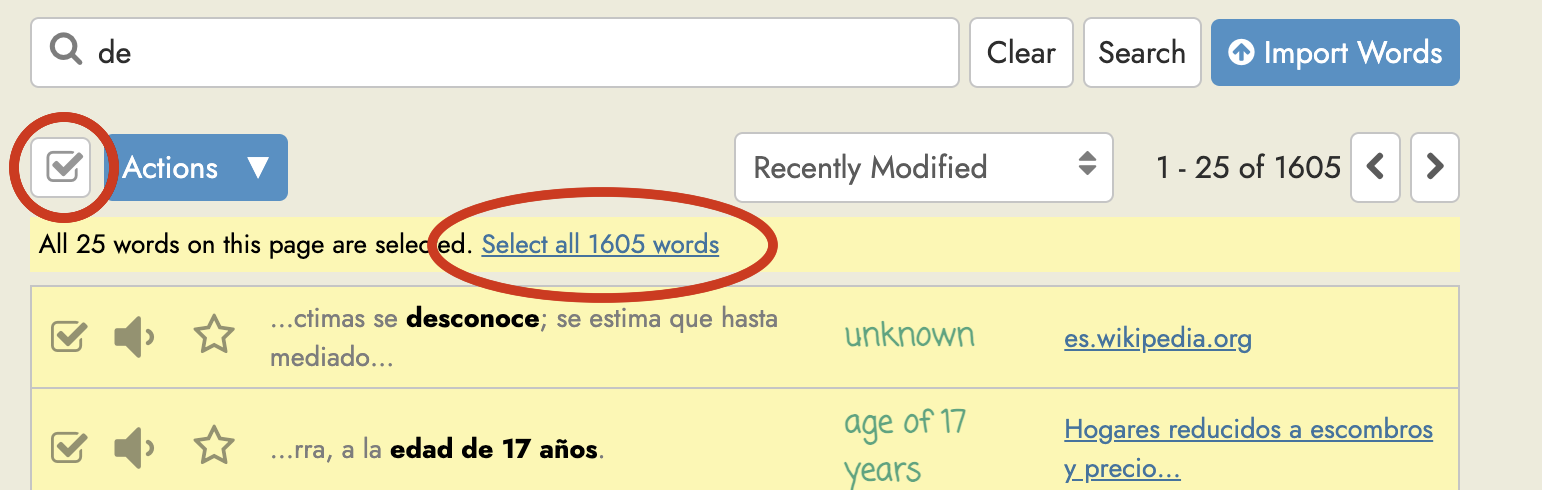
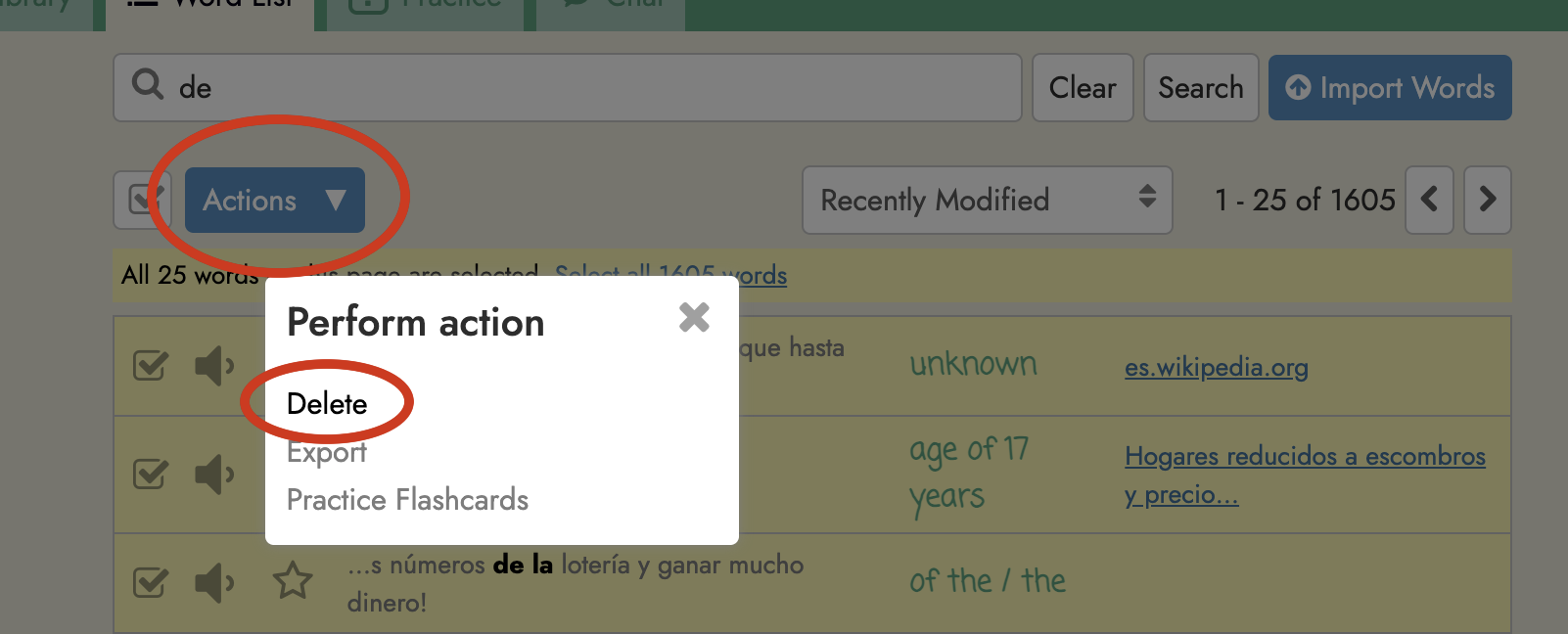
It was actually handy that you had these in your word list in order to highlight the bug that I’ve just fixed! But I would recommend that you delete these from your library since they don’t seem that helpful. If you want to do this, you can go to your Word List, search for “translation”, and then select and delete all the words that appear.
I intended to translate the entire phrase, not the individual words. So it may be another issue that the individual words were captured not the whole phrase.
I tried another reading in the library and the bug seems to be still there. I attach a screenshot.
I was a bit hasty in posting my last reply since the deploy with the fix completed a few minutes after I posted. Please give it another try since it should be fixed now. And if it isn’t, please let me know again!
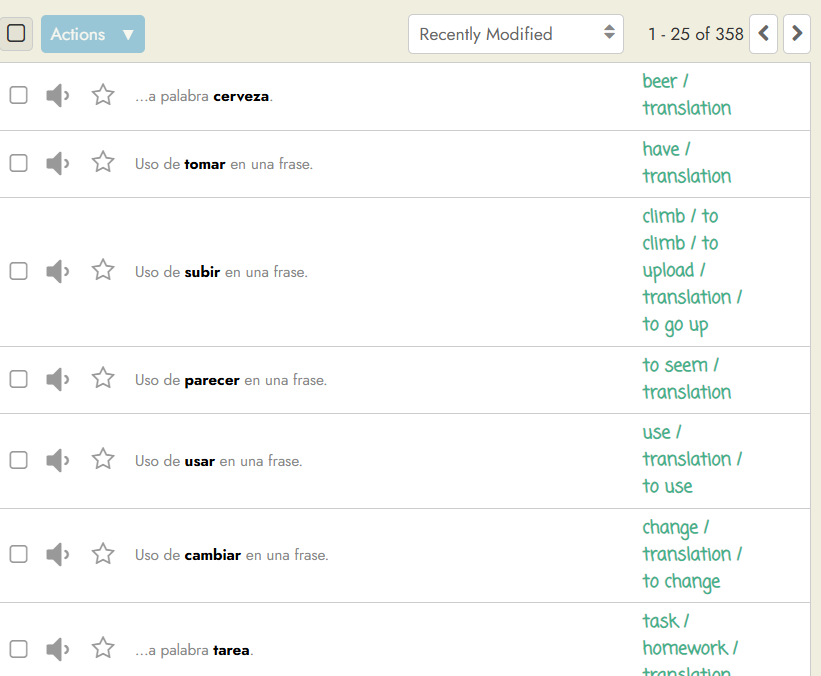
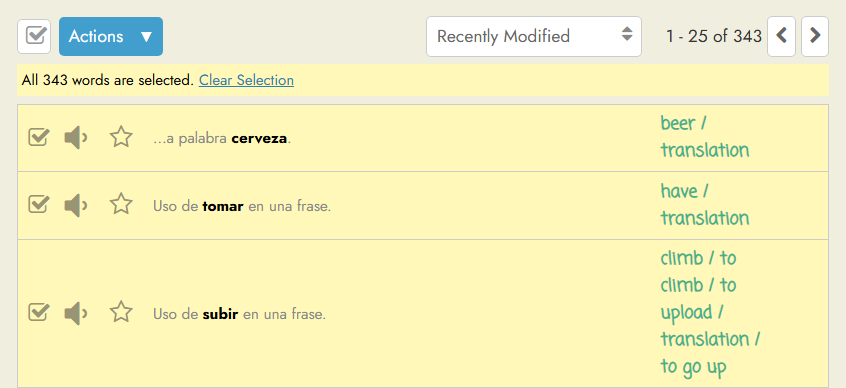
Thanks for looking into this bug. I removed some of those basic words, as you suggested. I tried today again and when I read an article, I no longer experience the problem showing “translation” instead of the word’s meaning. However, when I looked at my word list, I still find many that show this tag “translation” along with the meaning. When I try the Blitz practice, I still have some words come up showing “translation”, e.g. “casa” is showing as “translation” as meaning.
Please see a screenshot of the library. I cannot upload a second screenshot showing the issue in the Blitz practice, though, as I am a new user.
Hello, thank you but it would take a very long time for my word list that inludes 358 entries at the moment. Is there a solution that fixes this bug for the whole wordlist? Thank you.
Today I tried again the Blitz practice and I still have some words coming up there that I have already deleted from my word list. Please see a screen capture below for a word that no longer shows in my word list.
Thank you for checking this matter out in advance.
Thank you for offering this solution. I followed the steps but it results in practically selecting all the words in my word list and deleting them all.
The words not only show having the meaning “translation” but most show their proper meaning, too. Would it be possible not to delete all the words but only remove the “translation” tag from them?
Many thanks,
Aliz
–-
As you can see from the screenshot this solution selects all the words from my list and the words below show their original meaning plus the word “translation”:
OK. I’ve done the cleanup for you, removing “translation” from all these words but not deleting them. Let me know if you come across any other problems.