Hello, I’m new to Readlang and I’m having trouble creating flashcards. I’ve enabled the option to delete Flashcards when a word is deselected. I’m learning Japanese and I’m using furigana. When I select a word in the bottom line of a text in the library, the entire line jumps to the next page and creates a flashcard. Sometimes the selected word stays on the page and everything works fine. How can I prevent this?
You could try opening the sidebar, going to Aa tab, and selecting “Popover” under “Translation Behavior.” Popover definitions don’t push the text down.
What is meant to happen here is that if you select text towards the end of the page, if needed Readlang will shift the whole page one line down, removing the first line of the page, so that the highlighted text can still remain on the page. Is this not working in your case?
@M_C 's suggestion of using the Popover translation style is a good one if you don’t want the text shifting around. (The tradeoff is that the translation hints will appear on top of the source text, obscuring some of it)
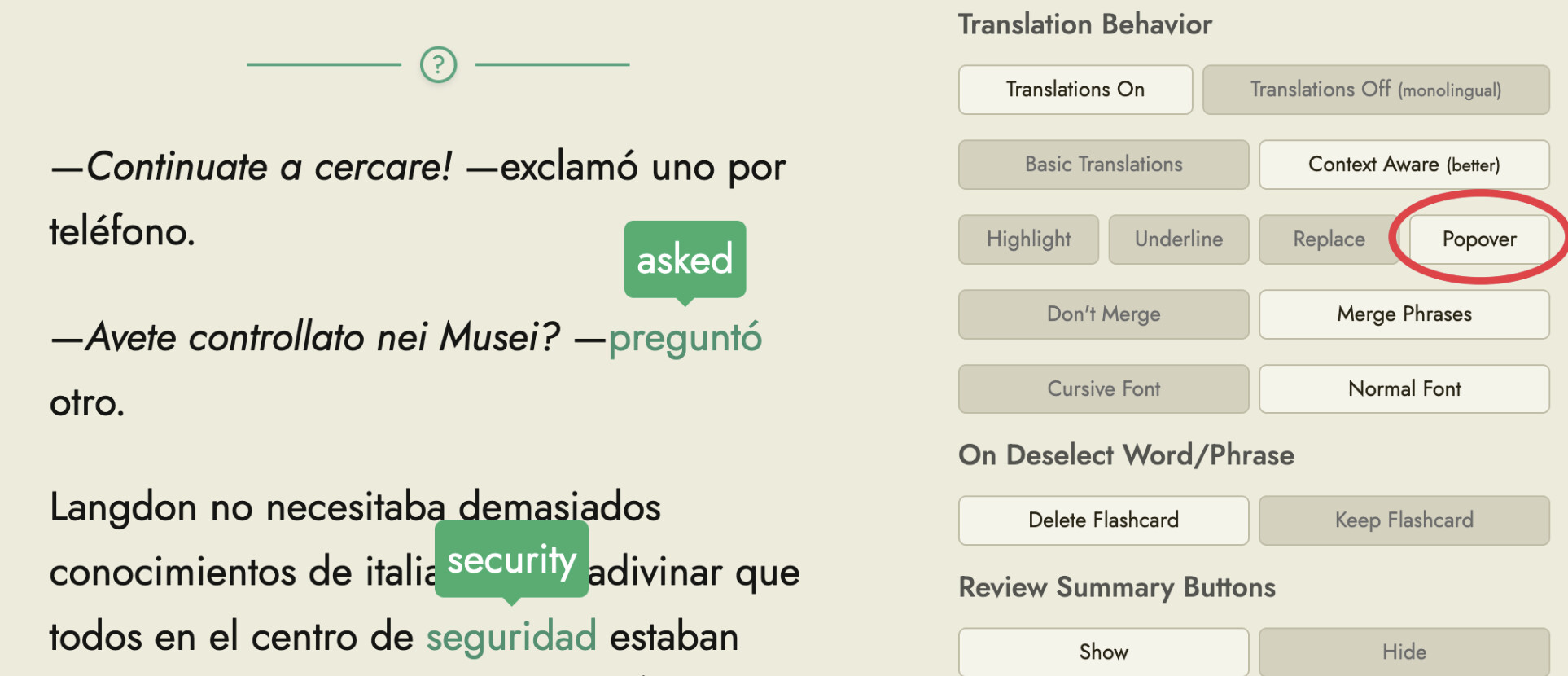
M_C`s popover idea works, but it’s sometimes confusing when I have several words translated on one page.
I’ve done some tests. The problem only occurs when furigana is enabled.
When I select text at the bottom of the page, sometimes the first line isn’t removed, and the bottom line (with the translation) is moved to the next page.
Sometimes, however, the first line is removed, and the selected text at the bottom is still moved to the next page.
I’ve tried it on iPad with Safari and on Win11 with Edge and Firefox browsers; it’s the same everywhere. This happens with both highlight and underline. I’ve also tried different text sizes and line heights, but it’s the same.
I don’t know why, but everything is working well now.
1 Like
I fixed this a couple of weeks ago but forgot to post here. Glad to hear it works!