Is there any reason why the little inline definition that appears when we click on words/phrases appears inline with the text, such that it shifts the layout of the text on the screen and potentially pushes lines onto the next page? An alternative would be to just have the definition appear as a popover that doesn’t affect the layout of the underlying text. I would at least find this less distracting.
I’ve just added “Popover” mode. This has been a long time coming!
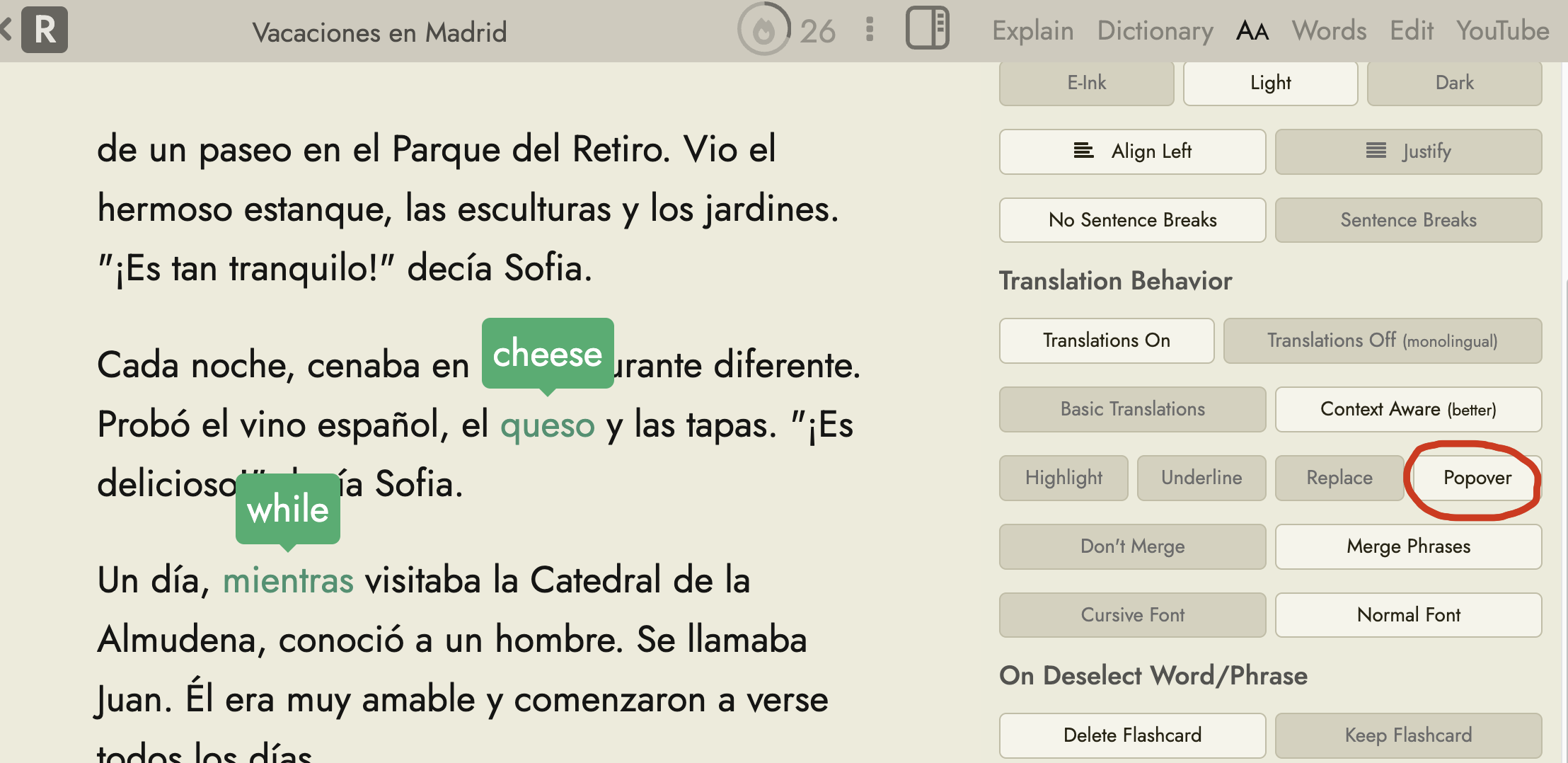
Select it from the AA tab of the reader page sidebar
1 Like
This is great but could there be a way to have the popover hide either by a manual click on a “close” or “x” indicator or by mouseout? For example, the way Language Reactor works. It gives you the definition which is helpful but then doesn’t obscure other parts of the text and after checking the definition immerses you back into the target language without any other markup.
You can hide it by clicking on it again. (Whether it deletes the word from your account depends on this setting: Delete Flashcards While Reading - Readlang Blog)
1 Like