NEW Reading Guides: background, glossary and a spoiler-free plot summary

I’ve added a feature called Reading Guides, which you’ll find in a new “Guide” tab in the Reader page sidebar. It reads the whole book and generates three things, written in your own language:

Background. A short briefing on the real-world context the book leans on, its history, places and people, with no spoilers about the story itself. If a book doesn’t need any, this stays to a sentence or two.
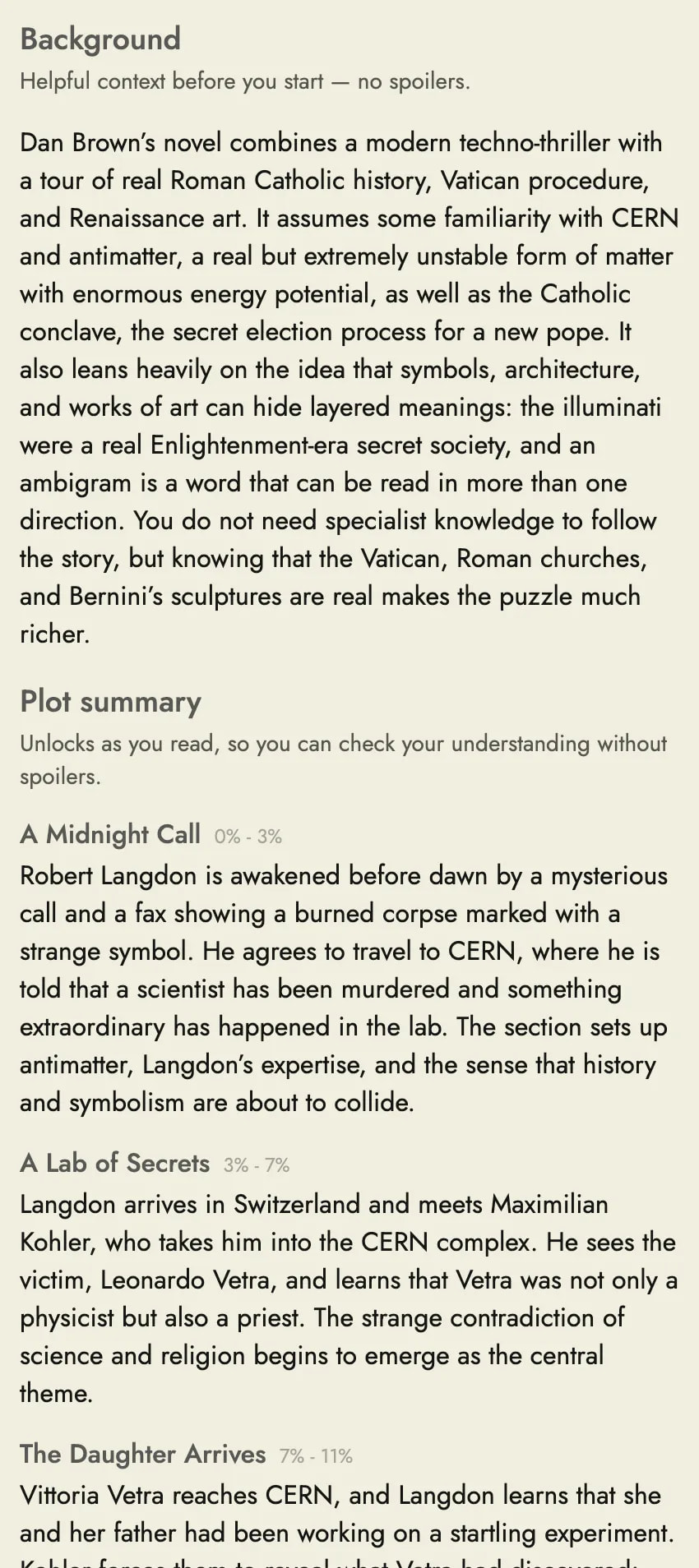
A glossary. The key characters, places and other things worth knowing, each listed with the other names the text uses for them, so nicknames, titles and alternate spellings all point to the same entry. You can also click one of these names in the text itself to pull up its entry instead of the usual translation.
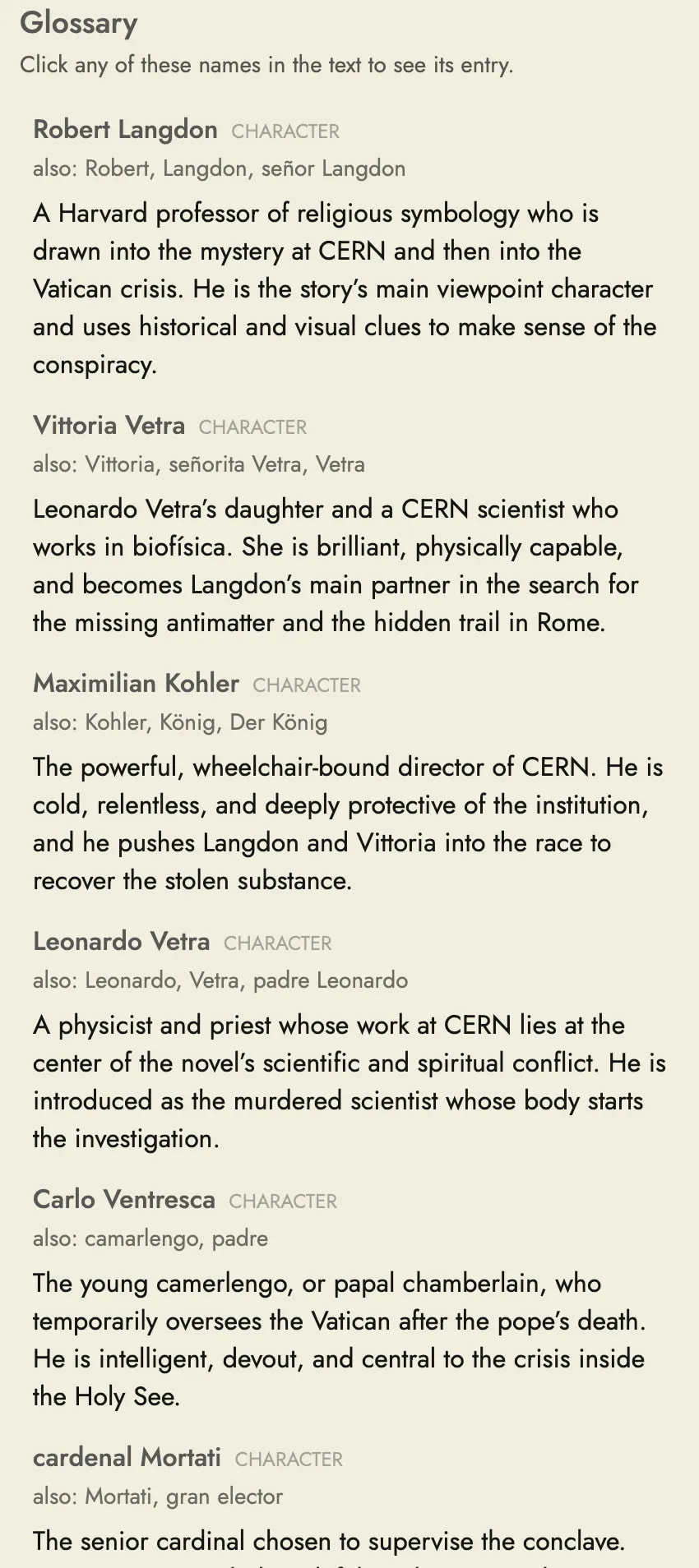
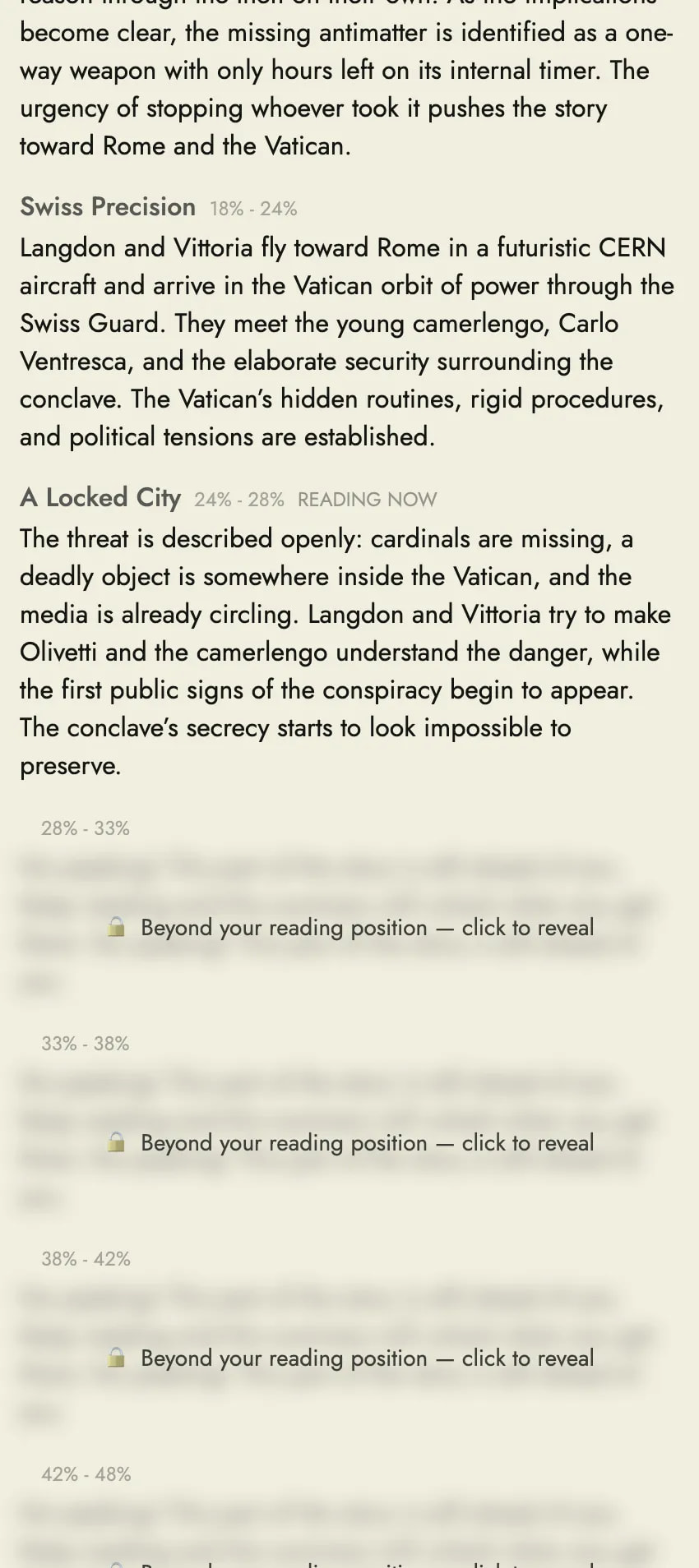
A plot summary that unlocks as you read. A section by section recap, paced through the book and roughly aligned to its chapters. Each section stays locked until you’ve read that far, so you can check you understood what just happened without spoiling what’s coming. The section you’re in is marked “Reading now”, and you can click through the lock on a later section if you really want to.
A guide is generated once per book and shared, so if someone else is reading the same book in the same language it’s already there, and it loads instantly the next time you open the book. (Friendly reminder: never share in-copyright works on the public libraries!) It’s available to Premium and Premium Plus subscribers.

Please let me know how it works for you. I’d particularly like to know whether the glossary picks the right entries, whether the plot sections land in sensible places, and whether the background is actually useful.

8 Likes

Really liking this so far!

1 Like

Many thanks Steve. An interesting feature which in certain circumstances could be very useful.

I intended to have a quick look at it and got drawn in a bit deeper which led to the following observations:

1. The guide does not appear to be editable or able to be deleted?

For my test I used the text of a podcast that had been auto generated. I would normally read and edit the original text if it is something I want to keep but I did not do so on this occaison so when I generated the guide certain errors in the original text got perpetuated into the guide. As the guide cannot be edited or deleted the errors remain there unless the guide is regenerated.

2. My language is english and I’m learning french. As my reading level is improving rapidly (thanks to Readlang) I wanted a guide in french and not english so changed languge ‘I know’ to français. Doing this had the effect of removing the english version of the guide. (that’s one way of deleting the guide)

Having set the language ‘I know’ to francais I was able to generate a guide in french, however, the first time I tried to highlight a word in the text for a definition the system asked me for my own language which had the effect of resetting language ‘I know’ back to english.

3. Out of interest I had copied the english and french versions of the guide so decided to compare them:

There were a number of differences between the two guides. As would be expected the guide in french was slightly better - more direct, less open to interpretation and/or confusion regarding certain points

The plot section of the guide was split at different points in french and english

There were a number of differences in what each guide chose to include in it’s Glossary.

The english guide did not translate certain elements of the french, leaving french terms for the user to figure out what they might mean e.g.

Corbeille (OISEAU) was not translated to Crow

La Belle au bois dormant (FILM) was not translated to Sleeping Beauty

Maléfique (PERSONNAGE) was not translated to Wicked fairy

Noé (PERSONNAGE BIBLIQUE) was not translated to Noah

4. At some point I wanted to check back on something in the french guide so I went through the process again and the second french summary contained a number of differences, including in the glossary, to the first french summary. Aller savoir . .

In answer to your questions Steve:

Glossary and Plot Sections are pretty good all things considered and yes the background is useful

1 Like

Thanks for your feedback.

You’re right that right now there’s no way to delete or edit this guide. If I get more requests for this I’ll consider it.

@Steve I like the guide, it’s quite helpful for getting back to a text after a break.

Two things I noticed though…

  1. My native language is German and while the guide was using German for the texts, the alternative name for characters was given with the word “also”, which seems to be untranslated from English. Not sure if that was an an AI fluke or if that’s really a predefined text though. It should be “auch” in German.

  2. I just noticed that the guide for the book that I’m currently reading vanished, after I created it a few weeks ago. I’m wondering if this was because I edited the text? And if so if that is intentional? I just corrected a few things regarding the formatting.

Thanks for the detailed feedback. I’ve released an update to Reading Guides which addresses several of these points:

  • Guides are kept per language. There’s now a “Guide language” dropdown in the Guide tab, so you can generate a guide in the language of the text without changing your “I know” language, and switch between any guides you’ve already generated. Changing “I know” no longer hides an existing guide either.
  • Editing the text no longer hides the guide. @flauschtrud yes, that’s what happened. Editing the text used to hide the guide. Now it stays, with a note that it’s based on an earlier version of the text and a button to generate an updated one. Your guide should be back in the Guide tab now.
  • Regenerating after corrections. @rma_iep for your auto-generated transcript, you can now correct the text first and then click “Generate an updated guide” to replace the old one. There’s still no way to edit or delete a guide directly.
  • Glossary translations. Newly generated guides now show the name in your language alongside the original term where one exists, e.g. Noah next to Noé. Guides generated before this update won’t have these.

@rma_iep For the record, the “I know” language can’t be the same as the language you’re reading, since translations need a different language to translate into. That’s why it asked you to choose again. With the new dropdown you shouldn’t need to change it to get a French guide.

@flauschtrud The "also: " label is part of Readlang’s interface rather than the generated guide, and the interface is in English. I can see how this looks confusing though.

1 Like

Yes, the guide is back, thanks!

That’s great that changes no longer force a recreation, since I mostly update formatting and typos.

Haha, I understand about the “also” word. It’s funny though since “also” is also a German word meaning “well, thus” :sweat_smile:

1 Like