How do I add accent marks over Greek letters when using the provided keys when typing words under the “Practice” tab? The Greek letters are provided but no accent marks or note about how to add them.
I’ve now added characters with accent marks:
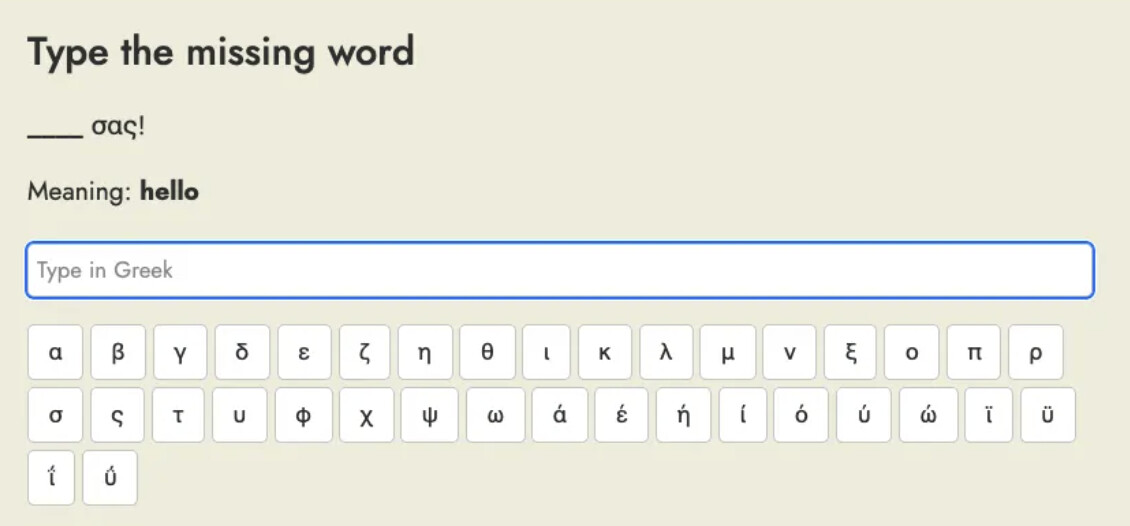
TBH there are a lot of characters here now and I’m not sure if this is the best solution. Do you find this useful?
I would imagine the best solution might be to switch your keyboard at the operating system level. On a touchscreen with an on-screen keyboard this would work very well, and on a normal desktop keyboard I think for Greek the mapping between the latin characters and greek characters is quite easy to remember so this could work very well too.
e.g. on macOS, if I switch to use a Greek keyboard layout then my keyboard will work as if it had this layout:
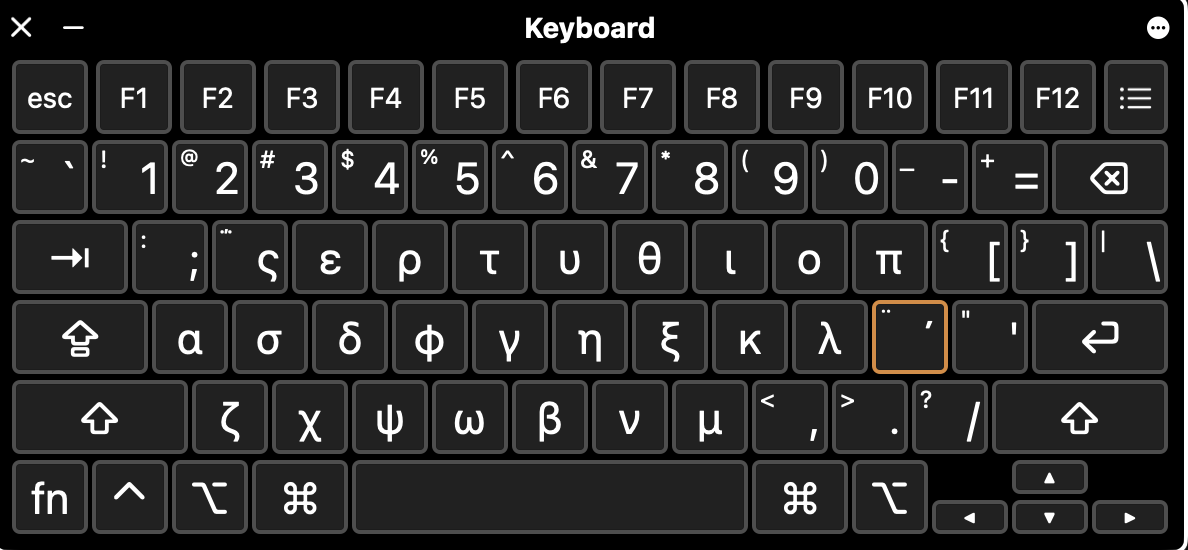
and I can cycle between all the different keyboard layouts English and Greek using ctrl+option+space. Of course if you use a different operating system you’ll have to figure out how it works for that one.
Thanks Steve. I appreciate your time to add that. Having the accent marks there onscreen just makes the keying in a bit faster because to take attention off the screen and away to my keyboard and then having to locate the correct letter takes some time and effort that interrupts the task at hand which is to produce the correct sentence. I can practice typing in Greek using the keyboard separately. So this will be helpful, thank you very much.
1 Like