First of all I love ReadLang and especially the Explain section for words!!! I have just started using Readlang for French, my native language is English but I speak decent Spanish. I’m seeing a lot of similarities between French and Spanish I know that’s very obvious but it got me wondering if I could get a way to switch the Explain section for French into Spanish so as to layer my language learning and maybe also learn more effectively? Basically requesting the ability to switch the Explain section not just between English and your target language but into another language as well?
At the upper left corner of most pages in Readlang, it should say “I know English. I’m learning French.” If you change it to “I know Spanish. I’m learning French”, then your explanations should be in Spanish.
In my settings it says “I know Russian” and “I’m learning English.” But all the explanations are still in English. So to understand what a word means, I have to translate the explanation itself, which isn’t very convenient
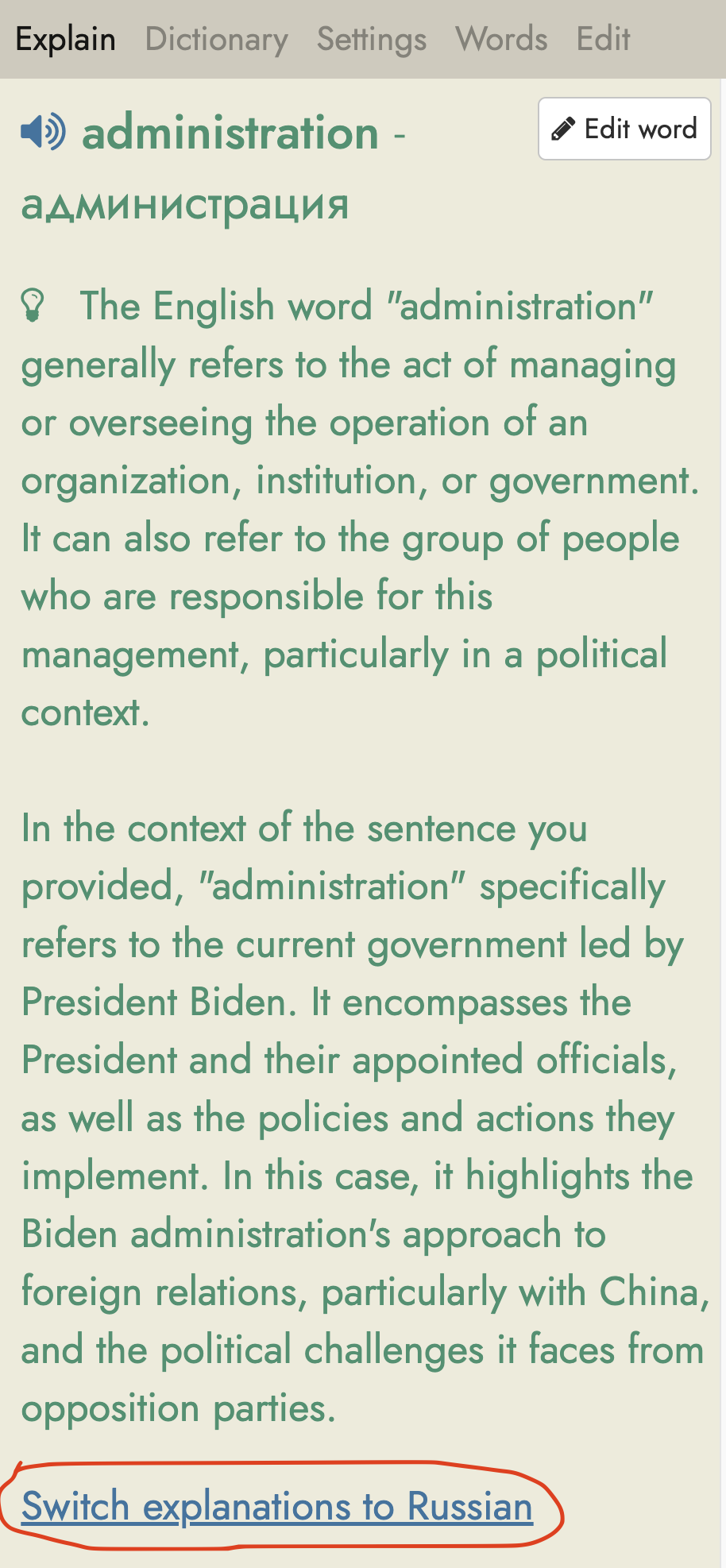
Please open an English text to read on readlang.com, open the sidebar to see an explanation, and at the bottom of the explanation you should see a link saying “Switch explanations to Russian”:
 I know that’s very obvious but it got me wondering if I could get a way to switch the Explain section for French into Spanish so as to layer my language learning and maybe also learn more effectively? Basically requesting the ability to switch the Explain section not just between English and your target language but into another language as well?