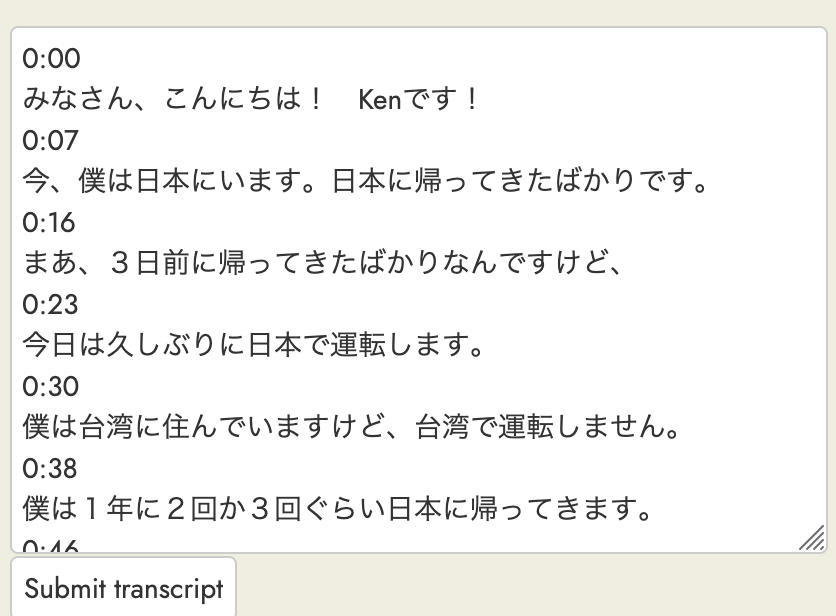
It seems YouTube changed something about their transcripts such that the extension now fails to extract it.
Example video with an issue: https://www.youtube.com/watch?v=-fl7v1lDoC0 - tried in both Firefox and Chrome, the issue persists in both, and I get the message “Failed to extract transcript from YouTube video.”
Happy to provide any further useful info or test a fix.
Thanks much!
p.s. I’ve been using the Firefox extension for a few months now, it’s been wonderful! Thank you once again for publishing it.
Something has definitely changed. I copy the transcript direct from YouTube (rather than use Readlang’s import feature), and in the last few days this has become much more difficult. The transcript is there, but in very large letters, which block out the “toggle time labels” three dots, and also block out the language button. I’m getting this on PC and Android tablet, on Chrome and on Edge. For the time being, I’m using Turboscribe where necessary, or Readlang’s AI refine feature to get rid of the timestamps.
I’ve updated the Firefox extension to version 0.9.30 and so far in my limited testing it seems to work both on YouTube videos with the old style of transcriptions and the new style. Users of the Chrome extension will need to wait for version 0.9.30 of that which I hope should be published early next week.
Thanks for the fix. It works on many videos, but there’s something going on on the youtube side that affects some other videos. In those failure cases, even if I set the CC language to my target language and the captions on the video show up in that language, the transcript itself is in English and thus unfortunately gets imported into readlang in English. I can force the transcript to be in my target language via the youtube global setting for display language (so all the boilerplate is in the language too), but then unfortunately readlang fails to extract the transcript with the same error message (the transcript is there on the page, though now not called “Transcript” with the English word, if that matters). If I were guessing, when the transcript is autogenerated there’s no problem, but when the creator provides an English transcript, it somehow gets precedence, and youtube ignores the subtitle setting. Not 100% sure of that though.
And now on some videos (of course, not always…) the timestamps are left within the text. The AI cleanup can get of them, but perhaps it’d be better to do it during import.
I just tried this in Chrome on mac and the manual way of syncing (https://www.youtube.com/watch?v=szcvArpfxWI) still works fine for me. Please let me know which browsers you are using and what exactly goes wrong.
I have a favour to ask. Can you (or anyone else reading this) tell me what the transcript looks like on the YouTube site itself. I always copy manually from YouTube, and since about the time this conversation started it’s been behaving oddly. On most videos (but not I think auto-subtitled ones, or older videos), the font is much larger, and when this happens, both the three dots at the top to toggle the time stamps on and off, and the language choice at the bottom, disappear. Also the time stamps don’t copy as simple numbers, but as words and numbers, for example “3minutes29seconds”. When loading into Readlang, I use the AI Refine to get rid of these.
I wondered if it was something to do with my end, but I see there are a couple of Reddit threads on the topic. This one has two images (old and new) that show exactly what I mean:
Hi Steve. For me that works for older videos and auto-transcripts, for example on the video you linked to, but not on newer videos with user uploaded transcripts. This one, for example:
As you can see, both the timestamps toggle and the change language function disappear.
For uploading the main text I get AI Refine to remove the timestamps (“Remove the timestamps ending in “seconds”, otherwise leave line breaks as they are”), which works fine. But when I upload it again for syncing it says “No sync points found”. This is because, rather than show, for example, 7:25, it is showing 7:257 minutes, 25 seconds.
And if the uploader has chosen to put the English translation first, as in this Dutch video (https://youtu.be/Xon60wIuQ0g?si=oy4v9enFu8b29Ni5), I can no longer change the language, and have to use a third party such as Turboscribe, and without syncing of course.
Incidentally, in the Ask AI feature you have a dropdown showing recent prompts. It would be nice to have something similar in AI Refine Other.
Yeah, that’s the symptom I see too. Sometimes it’s the classic small font transcript, and import works fine. Sometimes it’s the newer larger font one, and recently Steve fixed it so that worked fine too, except now it’s broken again by including the timestamps within the text on readlang. And sometimes it’s the newer larger font and stuck in English with no way to change it. I saw the script on the reddit thread to make youtube use the older style, but haven’t given it a whirl yet.
I’ve now fixed the timestamp issue in version 0.9.32 of the Chrome and Firefox extensions. I verified it works on the Dutch video shared earlier in this thread: https://youtu.be/Xon60wIuQ0g?si=oy4v9enFu8b29Ni5
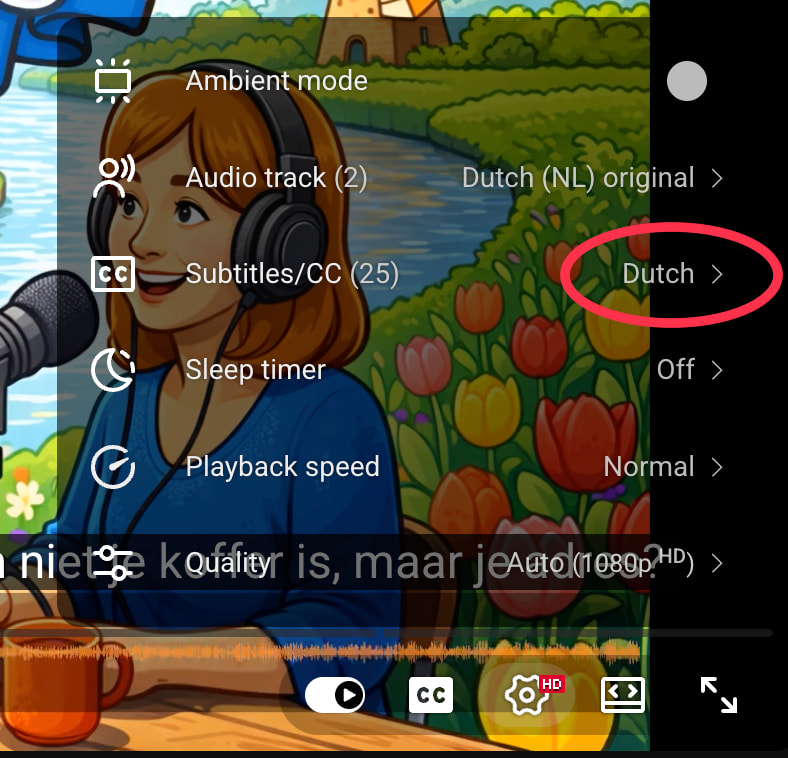
For me, if I change the subtitles language to Dutch via the YouTube settings before importing, the Dutch transcript will be imported instead of the English translation:
Thanks, Steve, that’s great - I can confirm that the timestamps went away for the last few videos I imported. But the transcript language is still an issue. I think it depends on the video – there are some that seem to ignore CC settings. If you show transcript, it’s in English, regardless of CC settings, and that’s what readlang imports. Here’s an example: https://www.youtube.com/watch?v=7faMIiv2E-8&t=30s
If I go and change my language settings to italiano, then the trascrizione is in Italian, but readlang fails to extract the transcript (maybe because there’s only a trascrizione?)
Hi, I imagine that’s because that’s what’s happening on YouTube itself, possibly linked to the choice of the uploader. I just checked the video you linked to, I also follow her by the way. And while the subtitles are set to and appear in Italian, when you open the transcript in YouTube itself it’s in English, in this oversize font where you can’t change the language or toggle the timestamps..
Or in the case of Steve’s version of the Dutch video (which came from me) they are showing in Spanish, even when I change the subtitles to Dutch. Interesting, because when I open it normally (i.e, not through Steve’s link) they appear in English.
I really don’t understand why YouTube haven’t corrected this.